
Digital SAT Calculator Use: When Desmos Costs You More Time
On this page
- Are Calculators Allowed on the Digital SAT Math Section?
- Which Handheld Calculators Are Approved for the Digital SAT?
- When Desmos Helps and When It Costs You Time on SAT Math
- How to Practice Digital SAT Calculator Strategy Before Test Day
- FAQ: Digital SAT Calculator Policy and Desmos
- Are calculators allowed on the digital SAT?
- Can you use a calculator on all parts of the math SAT?
- Does the digital SAT have a no-calculator section?
- Can you bring your own calculator to the digital SAT?
- Your Next Step on Digital SAT Calculator Strategy
Yes, students can use a calculator on every Digital SAT Math question. The Digital SAT is a two-section digital exam whose Math section runs 44 questions in 70 minutes, and College Board permits calculator use on all of them. Bluebook builds in a Desmos graphing and scientific calculator, so no handheld is required.
College Board's calculator policy confirms that permission, along with the limit that trips students up: College Board bars calculators during the Reading and Writing section. The harder question is not whether you may use Desmos, but when reaching for it helps versus when it quietly burns your time.
Are Calculators Allowed on the Digital SAT Math Section?
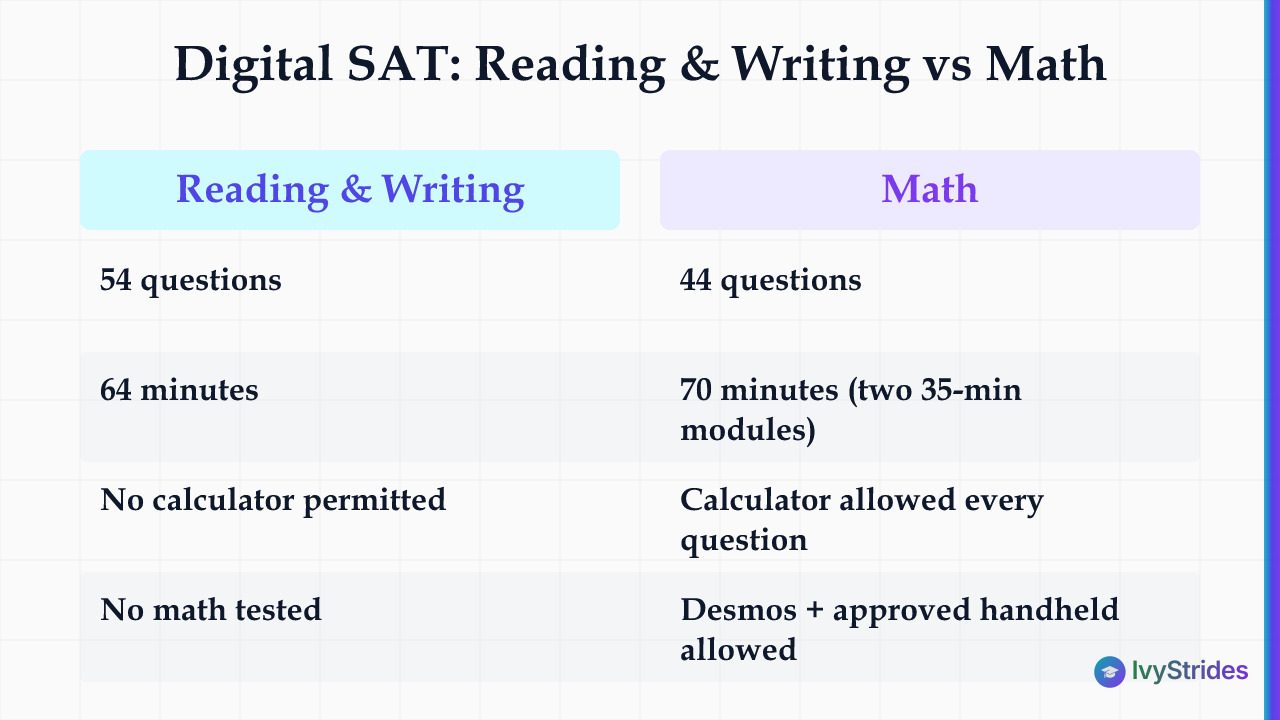
Calculators are allowed on every question in the Digital SAT Math section, which holds 44 questions across two 35-minute modules. Bluebook, College Board's official testing app, embeds the Desmos graphing and scientific calculator, and that tool travels with you from the first question to the last.
That access replaces an older setup. The paper SAT split its Math into a calculator section and a dedicated no-calculator section; the Digital SAT, which launched internationally in March 2023 and in the US in March 2024, removed the no-calculator section entirely. So you'll never meet a Math question where a calculator is off-limits.
The Reading and Writing section works differently. It carries 54 questions in 64 minutes and permits no calculator, which makes sense because it tests no math. Any handheld you bring must go under your desk during the Reading and Writing modules, so put it away before that section begins; you can use it in the Math section, which follows the 10-minute break between the two sections.
Two tools, not one. Every student gets Desmos inside Bluebook, and you may also bring an approved handheld to use alongside it. The Math section runs 70 minutes across two 35-minute modules, and how the Digital SAT's two-module Math section is timed shapes every calculator decision you make.
| Section | Questions | Time | Calculator Permitted? |
| Reading and Writing | 54 | 64 minutes | No |
| Math | 44 | 70 minutes | Yes, every question |
| Full test | 98 | 134 minutes | Math only |
Which Handheld Calculators Are Approved for the Digital SAT?
Approved handheld calculators for the Digital SAT fall into three types: four-function, scientific, and non-CAS graphing calculators; the TI-84 Plus, for example, is not among the models College Board names as prohibited. The College Board calculator policy encourages you to use the calculator most familiar to you, either your own approved handheld or the Desmos calculator embedded in Bluebook, and if a handheld fails during testing you can keep working in Desmos.
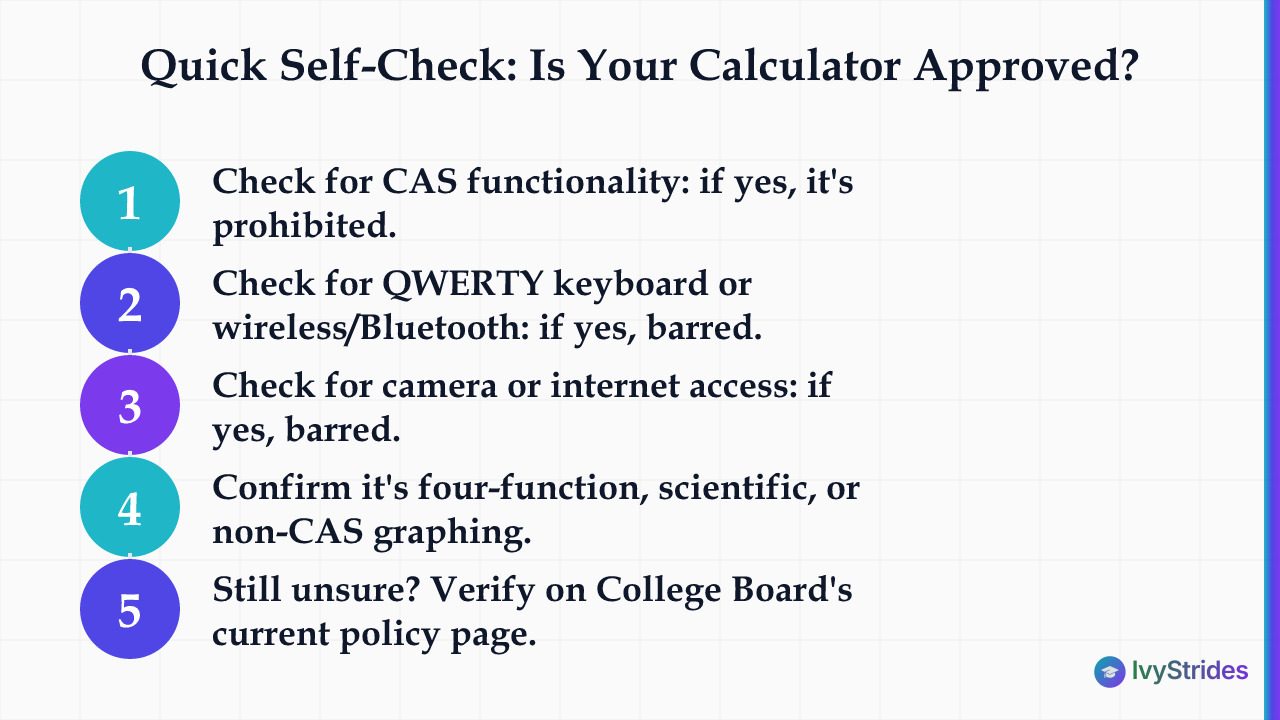
The hard line is CAS. College Board prohibits any calculator with CAS (computer algebra system) functionality, meaning it can symbolically manipulate algebraic expressions or solve equations with exact symbolic answers, because CAS can affect accurate assessment of the math abilities the SAT Suite is designed to test. The policy also bars any device with a QWERTY keyboard, wireless or Bluetooth connectivity, a camera, or internet access.
Why CAS matters for your choice. Some graphing calculator lines come in CAS and non-CAS versions: College Board prohibits the TI-Nspire CAS and TI-Nspire CX II CAS but accepts TI-Nspire models that do not include CAS in the name. Check your exact model before test day. College Board no longer maintains a list of permitted graphing calculators, and it says its calculator guidelines may change as often as once a year, so check your specific calculator against the current prohibited list rather than trusting a model number you saw in an old forum thread.
Knowing which Math domains appear most often on the Digital SAT helps you decide which calculator features are worth practicing. Pack your calculator the night before with the rest of your test-day items, using a free SAT test day checklist to keep them together.
Run this quick self-check on your own device:
- Does it run a CAS (computer algebra system)? If yes, College Board prohibits it.
- Does it carry a QWERTY keyboard? If yes, the policy bars it.
- Does it connect by wireless or Bluetooth? If yes, the policy bars it.
- Does it include a camera or internet access? If yes, the policy bars it.
- Is it a four-function, scientific, or non-CAS graphing model? Likely approved.
- Still unsure? Confirm your model on College Board's current policy page.
When Desmos Helps and When It Costs You Time on SAT Math
Desmos helps on questions where a graph or a solved system answers faster than hand-algebra, and it costs you time on questions a quick mental step would finish. IvyStrides' analysis of College Board's published counts, 44 questions in 70 minutes, puts the Digital SAT Math pace at about 95 seconds per question on average, so a 30-second Desmos setup on a one-step arithmetic problem is a real cost. That per-question average is the benchmark for judging whether opening Desmos is worth the setup.
Questions from all four Math content domains appear in each module, so calculator judgment pays off in both, and each 35-minute module runs on its own timer. Module 1 performance routes you to an easier or harder Module 2, and you cannot return to Module 1 once its time runs out, which is why how much your Module 1 results shape your Math score makes careless Desmos detours there costly.
Reaching for the calculator by habit costs time. Research on handheld calculators found this long before Desmos: a 2011 thesis on the history of attitudes toward classroom calculators summarizes a study of the November 1996 and 1997 SATs that found students who used their calculators too often, or on too many items, took too much time. A common pattern: a student spends longer setting up a Desmos graph for a single linear equation than solving it by hand would take.
The decision rule is the setup cost. If keying the problem into Desmos takes longer than solving it directly, solve it directly. That instinct protects the minutes you need for the last questions in each module.
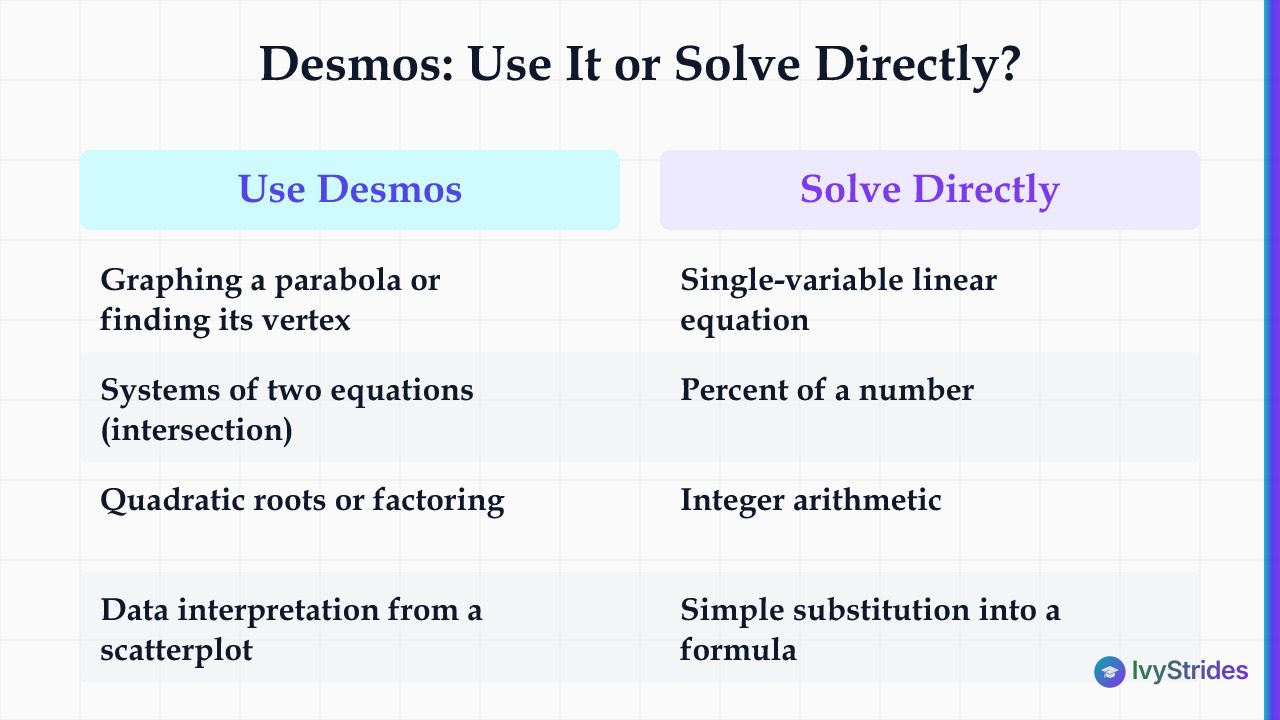
| Question Type / Domain | Use Desmos? | Why |
| Graphing a parabola or finding its vertex | Yes | Visual read is instant |
| Systems of two equations | Yes | Intersection point in seconds |
| Quadratic roots or factoring | Yes | Roots show as x-intercepts on the graph |
| Data interpretation from a scatterplot | Yes | Plot and fit beats estimating |
| Single-variable linear equation | No | Solving by hand is faster |
| Percent of a number | No | Mental math wins |
| Integer arithmetic | No | Setup costs more than the answer |
| Simple substitution into a formula | No | Direct plug-in is quicker |
On a free call, IvyStrides maps the Digital SAT Math question types where calculator use is slowing a student down and sets a practice focus on solving those directly. One-on-one SAT Math coaching built around your specific weak question types targets those patterns instead of untargeted drilling.
How to Practice Digital SAT Calculator Strategy Before Test Day
The most realistic way to build calculator judgment is to practice inside Bluebook, the testing app that embeds the same Desmos calculator you'll use on test day. College Board's official free practice runs full-length tests in Bluebook, so the graph that renders in practice is the graph that renders in the real thing.
Because Module 1 performance decides whether your second Math module is more or less difficult, a useful practice habit is the 15-second mental attempt. Try each Math question in your head first; open Desmos only when the setup would be faster than solving directly. Working through official practice questions sorted by domain builds that instinct question by question.
Log the decision, not just the answer. An error log that notes whether you reached for Desmos on each wrong answer reveals whether over-reliance is a pattern worth fixing or a one-off. If your practice tests show time lost to unnecessary Desmos use, targeted coaching on those question types is a more focused next step than more drilling.
Give yourself real runway. College Board reports SAT scores online roughly 2 to 4 weeks after the test, and the next US dates run November 7 and December 5, 2026, then March 6, May 1, and June 5, 2027, per College Board. Pick a date, count back about eight weeks, and practice the calculator decision on every Math set until it's automatic.
Follow this four-step routine:
-
Take a full Bluebook practice test under timed conditions.
-
For each Math question, mark whether you used Desmos and whether it helped.
-
Log every wrong answer with the tool you used in a mistake tracker.
-
Re-drill the question types where Desmos cost you time, solving them directly.
FAQ: Digital SAT Calculator Policy and Desmos
Are calculators allowed on the digital SAT?
Yes, calculators are allowed on every question in the Digital SAT Math section. Bluebook includes a built-in Desmos graphing and scientific calculator, and you may also bring an approved handheld. The Reading and Writing section permits no calculator.
Can you use a calculator on all parts of the math SAT?
Yes. Unlike the paper SAT, which had a dedicated no-calculator section, the Digital SAT allows calculator use on all 44 Math questions across both modules. The built-in Desmos tool runs throughout, and an approved handheld may sit alongside it.
Does the digital SAT have a no-calculator section?
No. The Digital SAT, which replaced the paper SAT in the US in March 2024, removed the no-calculator section entirely. Every Math question permits a calculator. The Reading and Writing section still prohibits calculators, but that section tests no math.
Can you bring your own calculator to the digital SAT?
Yes, you may bring an approved handheld in addition to the built-in Desmos tool. Approved types include four-function, scientific, and non-CAS graphing calculators. College Board prohibits calculators with CAS functionality, QWERTY keyboards, wireless connectivity, cameras, or internet access.
Your Next Step on Digital SAT Calculator Strategy
You have the policy, the approved-device rules, and a decision framework for when Desmos earns its setup time. The skill now is making that call automatically under time pressure.
- Confirm your handheld model against College Board's current prohibited list.
- Take one full Bluebook practice test and mark every Desmos decision.
- Re-drill the question types where a calculator slowed you down.
- Pick a test date and count back about eight weeks to set your practice window.

Hemant is a seasoned entrepreneur, investor, and growth strategist with deep ground in education and technology-driven learning. His core training is in Mathematics and Physics — he authored Physics for IB Diploma: Ultimate Revision Guide, recognized as a top student resource.